Demistifying Google File System ‘03
Demistifying Google File System ‘03
How a 2003 research paper quietly shaped the way the modern internet stores its data.
Original article: Read on Medium
Ever encountered the problem of your phone storage getting full? What’s the solution you come up with when that problem arises? Simple, right? You either dump your existing storage to the cloud or some hard drive and then empty the phone’s storage.
Now imagine you’re Google in the early 2000s. You’re crawling billions of web pages, building a search index, and logging every search. No single hard drive, or even a single very expensive computer, can hold that. So what do you do?
Google’s answer was the Google File System (GFS), described in a 2003 paper by Sanjay Ghemawat, Howard Gobioff, and Shun-Tak Leung. It is a scalable distributed file system designed to provide fault tolerance on inexpensive commodity hardware while delivering high aggregate performance to many clients.
A distributed file system spreads files across many computers but makes them look like one giant drive. Think of a library whose books are spread across a thousand buildings in a city, with one catalogue that tells you where to find anything.
Workload Patterns
1. Component failures are a norm, not an exception
Thousands of machines are deployed as clusters, and machines do wear out. For example, if one machine fails every 1,000 days and we have a 1,000-node cluster, the expected failure rate is roughly one failure per day.
Failures can come from application bugs, OS bugs, human errors, hardware issues (disk, memory, network), and power failures. We cannot expect humans to repair every failure, so the system needs to be self-repairable, with exhaustive monitoring and observability.
2. Huge files
GFS is optimized for multi-GB files, although smaller files can still be stored. The file system is not designed to optimize for billions of small files.
3. Mutations are append-only, not overwrites
In this file system, appending to a file is more common than replacing existing content:
- Random writes within a file are infrequent.
- Alterations are typically append operations.
- Random or complete reads are common.
This pattern appears in database backups, archival data, and streaming writes such as logs. Therefore, fast appends and guaranteed atomicity are important.
What is atomicity?
Think of sending money from your account to a friend’s. If a process involves subtracting money from one account and adding it to another, it must not stop halfway and leave the system in an inconsistent state. Atomicity means all-or-nothing: the operation completes as a whole, or it does not take effect as a partial operation.
In GFS record append, a record is appended atomically so clients do not observe a half-written record mixed into another record.
Understanding the access pattern of your system is important. You cannot have it all. Design under the given constraints and relaxations. The best system ever is a myth!
Design Assumptions
- Commodity hardware: Cheap commodity machines are used, so component failures are expected.
- Large files: The system stores a modest number of very large files. Small files are supported but not optimized for.
- Read patterns: Workloads mostly consist of large streaming reads and small random reads.
- Write patterns: Most writes are large sequential appends to the end of a file; files are rarely modified once written.
- Atomic concurrent appends: Many clients may append to the same file concurrently, so atomicity is essential with minimal synchronization overhead.
- Bandwidth over latency: High sustained bandwidth matters more than low latency for individual reads and writes.
Additional supported operations
- Snapshot: Creates a copy of a file or directory tree at low cost.
- Record append: Lets multiple clients append to the same file concurrently and atomically, without extra locking on the client side.
Interface
GFS provides a familiar file-system interface with hierarchical directories and pathnames, and supports operations such as create, delete, open, close, read, and write. However, it does not implement a standard API like POSIX.
POSIX (Portable Operating System Interface) is an IEEE standard defining how operating systems expose their interfaces, making software more portable. GFS keeps familiar file-system concepts but does not fully comply with POSIX, allowing it to optimize for Google's workload and consistency requirements.
Architecture
Storing a huge file as a single unit is problematic: it needs a large contiguous space, and replicating or moving the whole file across machines consumes significant bandwidth. GFS instead splits files into fixed-size 64 MB chunks.
Diagram 1 — Chunks distributed across chunkservers
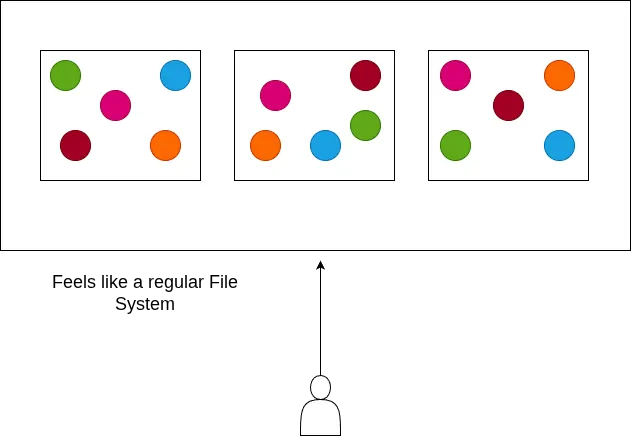
This design provides several benefits:
- Parallelism: Clients can read or write different chunks of the same file at the same time on different chunkservers.
- Fault tolerance: Each chunk is replicated across multiple chunkservers (three replicas by default). If one machine goes down, data can remain available elsewhere, and the master can re-replicate chunks.
- Load balancing: Replicas can be spread across chunkservers and racks to balance disk usage and traffic.
- Easy storage allocation: The file system needs room for individual 64 MB chunks rather than one large contiguous region. Each chunk is stored as a Linux file on a chunkserver.
- Easy migration: Chunks can be copied individually; a failed transfer only needs that chunk to be retried.
- Reduced network overhead: A client asks the master for a chunk's location, caches it, and then communicates directly with the chunkserver.
- Small metadata footprint: Fewer, larger chunks reduce the amount of metadata the master must maintain.
Diagram 2 — A large file divided into smaller chunks
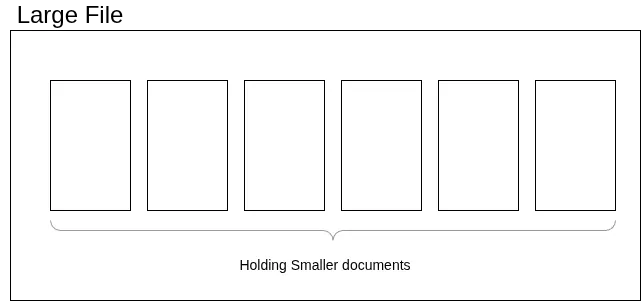
Diagram 3 — Chunk identifiers
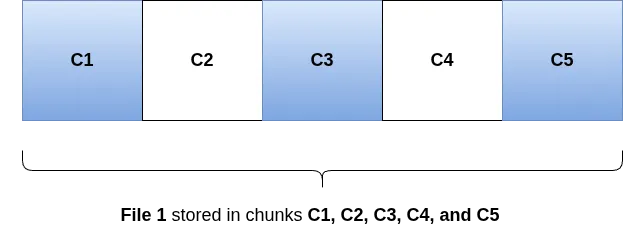
Diagram 4 — Replicas across storage locations
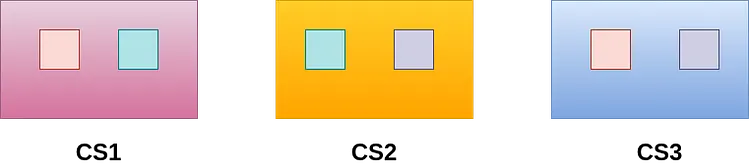
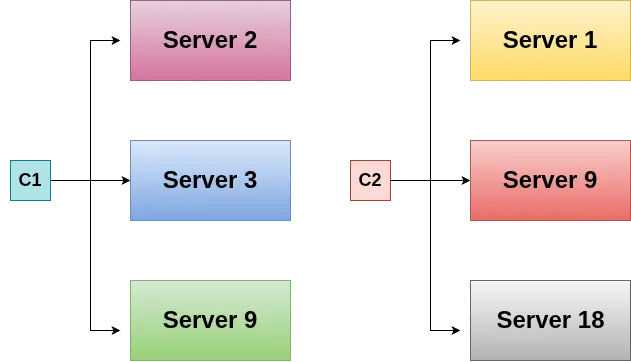
The machines that store chunks are called chunkservers. For reliability, each chunk is replicated on multiple chunkservers; the default replication factor is three.
Diagram 5 — Chunkservers
Master Node
The master stores metadata, or “data about the data”:
- File and chunk namespaces, along with access-control information.
- Mapping from each file to its chunks.
- Locations of each chunk’s replicas (which chunkservers hold them).
The master is not in the data path. Clients ask the master for chunk locations, then read and write data directly with chunkservers.
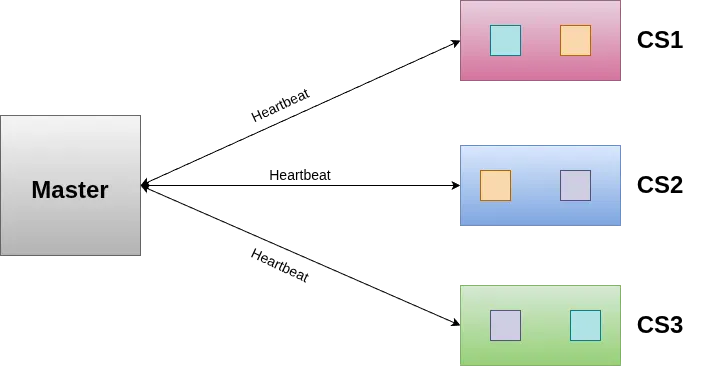
The master monitors chunkserver health using periodic heartbeat messages. If a chunkserver goes down, the master can re-replicate its chunks onto other chunkservers to restore the replication factor.
The master assigns each chunk a unique, immutable 64-bit chunk handle when the chunk is created.
Diagram 6 — Master and chunkservers
Author
Tanishq Sharma